
Customers
1. List of Customers
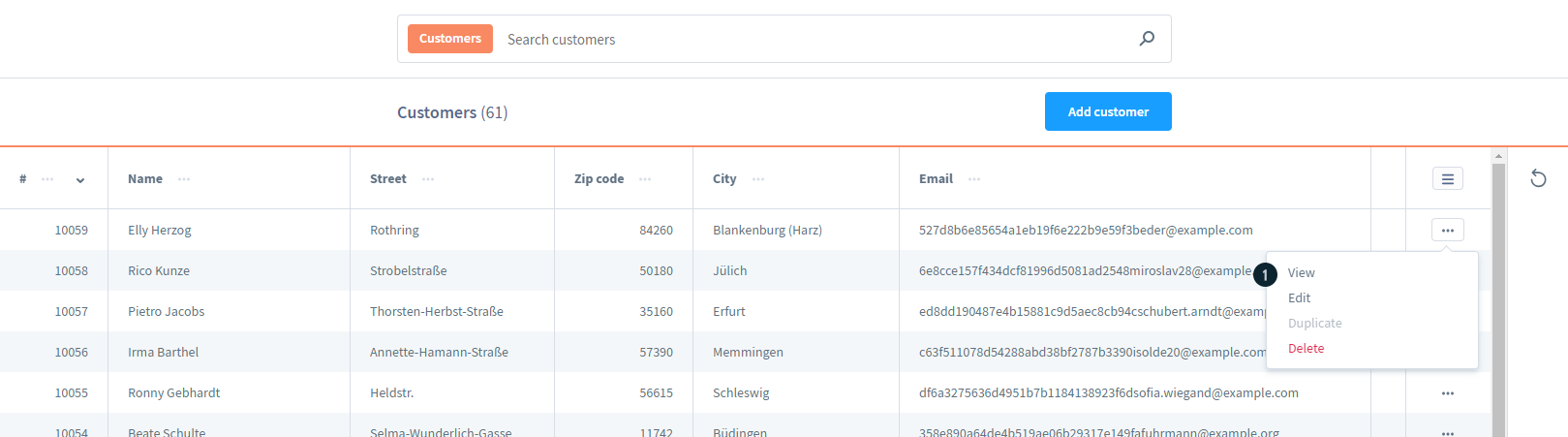
The Customers page allows convenient management of the customer database. This page provides a general overview of all customers and options for detailed viewing or editing, accessible from Customers > Overview.
From this page, you can search for customers, view detailed customer information, edit or delete customers. Additionally, you can add a new customer to the system using the "Add Customer" button.
Clicking on a customer's name opens a new page with detailed information about that customer.
On each customer row, there is a "..." button that opens a context menu with options to View, Edit, or Delete the customer.
2. Detailed Customer Information
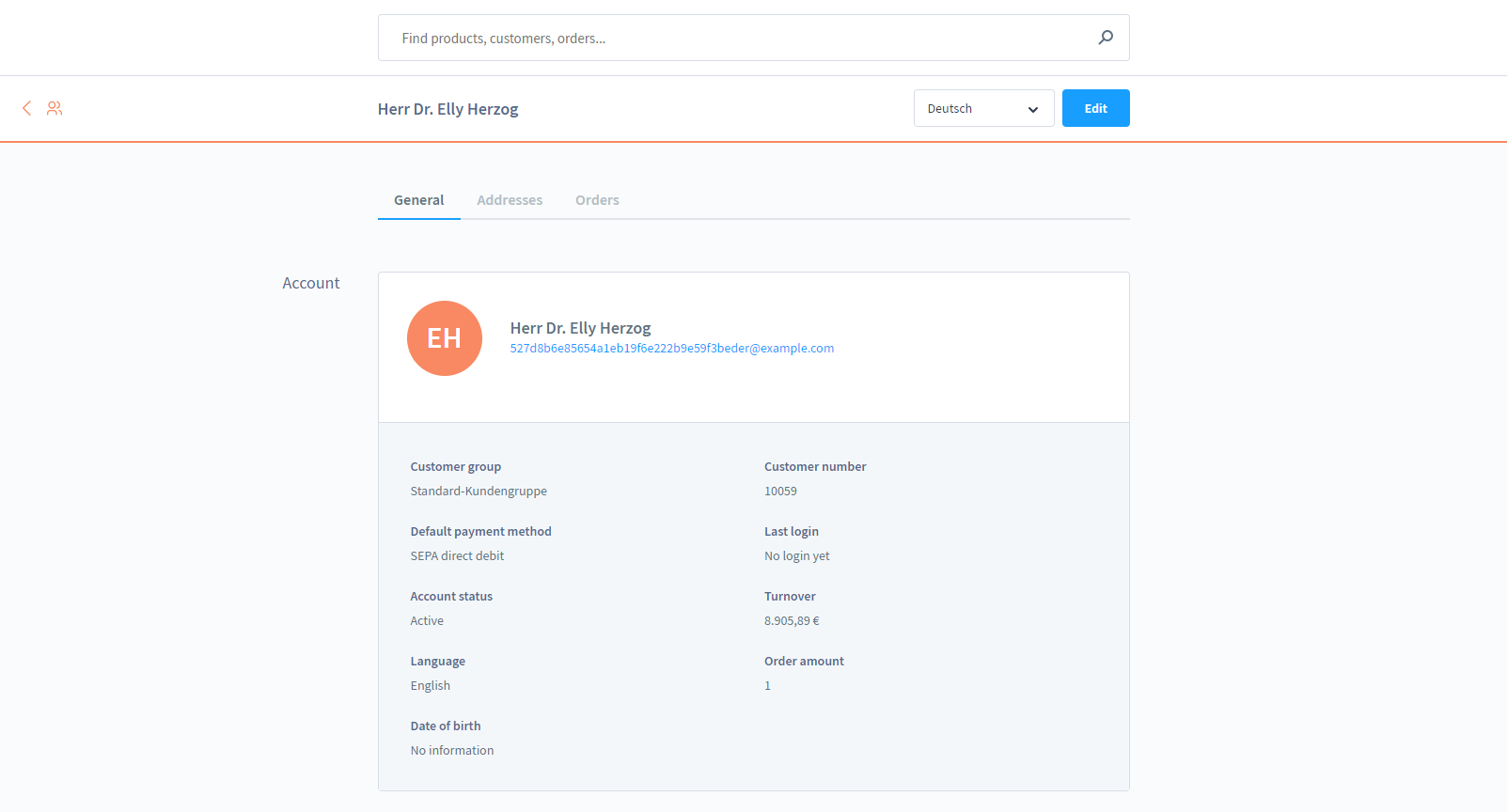
The "General" section displays more detailed information about the customer.
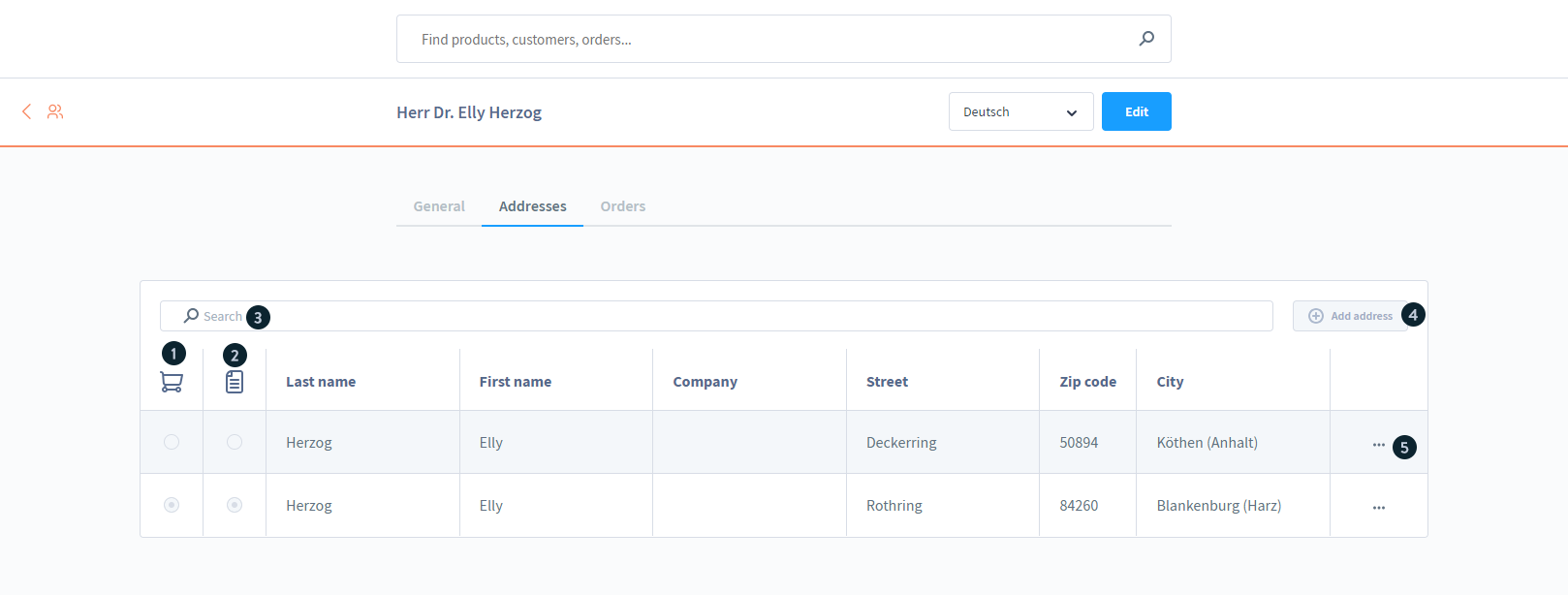
The addresses tab shows all the addresses stored for your customer.
Similar to the customer overview, you can find structured information about the customer's addresses here.
In addition to the possibility to specify the standard delivery address (1) and standard billing address (2) by clicking, you will also find a search (3) and the possibility to add a new address for the customer (4).
If you click on the button (5), the context menu opens, which now also gives you the opportunity to edit the address, or you can duplicate or delete it.
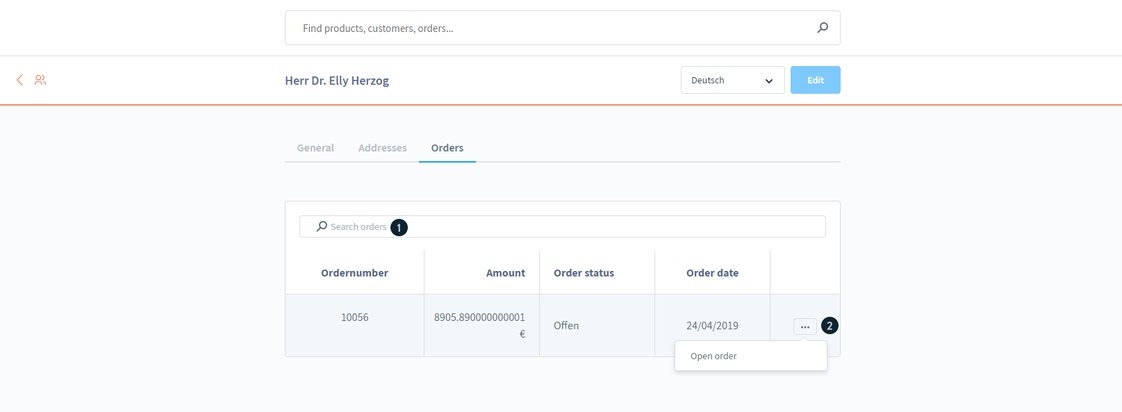
In the tab orders you an overview of all transacted orders of your customer is indicated.
Here you will find relevant information about the order number, the amount, the order status and the order date. We also offer a search function (1).
By clicking on the field (2) you have the possibility to open the corresponding order and land in the order details.
By clicking on the order number, you can open the respective order and view its details.
